
Key Takeaways
- Bitwave CLI gives AI agents a command-line interface for financial data and accounting workflows, usable whether an agent runs through KubeClaw, Hermes, Claude, or another agentic environment.
- Inside an organization's Bitwave environment, agents can retrieve and categorize transactions, manage wallets, check balances, run balance reports, and generate inventory views.
- Outside the primary environment, an agent can use the CLI to build a lightweight local general ledger, produce financial statements, and share the finished books through Bitwave for human review.
- The CLI also introduces support for AI agent expense reports, giving agents a structured way to document, categorize, and route their own spending into existing accounting systems.

AI agents are moving beyond answering questions. They’re beginning to perform real work: retrieving data, running analyses, operating software, making purchases, and completing multistep business processes.
That creates a new question for finance teams:
How do you give an AI agent the financial tools it needs while maintaining structured, reviewable accounting records?
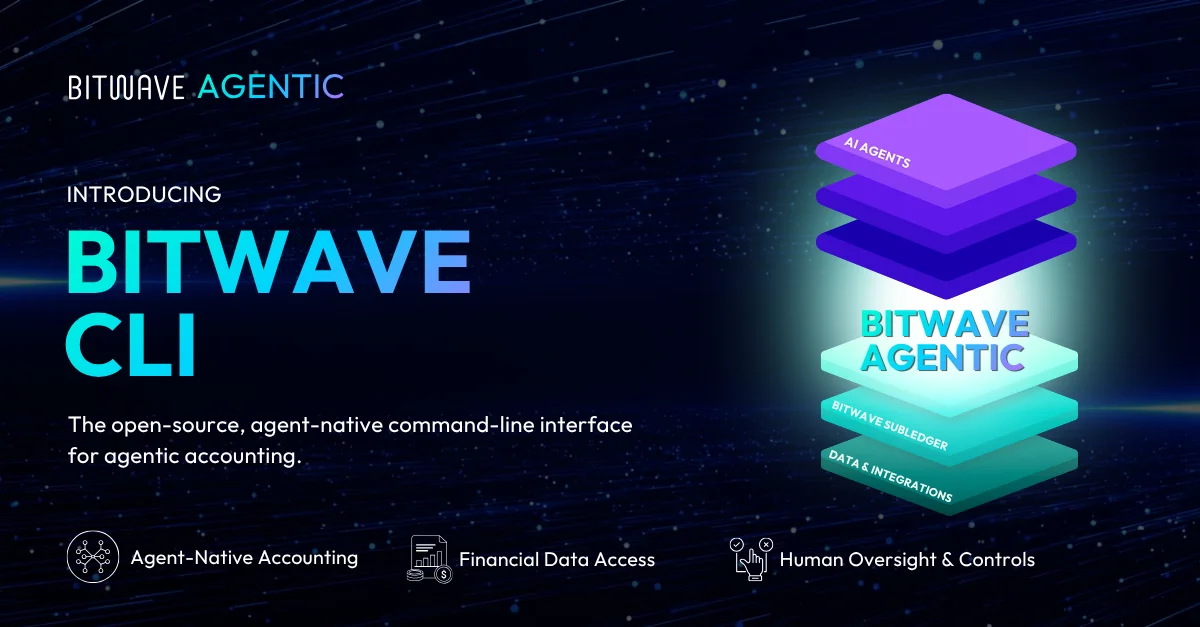
Today, as part of Bitwave AI Week, we’re introducing Bitwave CLI, a command-line interface that gives AI agents a robust set of tools for working with financial data and accounting workflows.
Whether you’re running an agent through KubeClaw, Hermes, Claude, or another agentic environment, Bitwave CLI provides a direct interface through which that agent can interact with Bitwave or build and share its own set of books.
Put agents to work inside Bitwave
Bitwave CLI allows an agent to connect to Bitwave and perform work using the data and functionality already available within the platform.
Through the CLI, agents can:
- Access Bitwave data
- Retrieve transactions
- Add and retrieve wallets
- Check balances
- Categorize transactions
- Run balance reports
- Generate inventory views
- Support other repeatable accounting workflows
Instead of manually navigating through the same steps each time, finance teams can give an agent a task and allow it to use Bitwave’s tools to complete the underlying work.
The goal is straightforward: automate more of the repetitive work surrounding financial operations so people can focus on reviewing results, resolving exceptions, and making decisions.
Let an agent build a set of books
Bitwave CLI can also operate outside an organization’s primary Bitwave environment.
An agent can use the CLI to create a lightweight, local general ledger for a specific project or accounting exercise. It can record activity, generate reports, and share the resulting set of books through a human-readable Bitwave interface.
For example, a user could ask an agent to:
- Build a depreciation schedule for construction costs
- Create a project-specific ledger
- Produce a balance sheet
- Generate a profit and loss statement
- Model and document a discrete accounting scenario
The agent can build the work product locally and then share it through Bitwave for someone to inspect and use. This creates a practical bridge between work completed autonomously by an agent and the human review that financial operations still require.
It also means Bitwave CLI is not limited to digital-asset accounting. Agents can use it to perform and document many different types of accounting work.
Account for spending by AI agents
There is also a new category of economic activity beginning to emerge: spending performed by agents themselves.
Agents will increasingly purchase data, book travel, order meals, make reservations, and pay for other products or services on behalf of a business. But the need for financial controls does not disappear simply because an agent initiated the transaction.
If something acting on behalf of your company spends money, that activity still needs to be documented, categorized, reviewed, and recorded.
Bitwave CLI introduces support for AI agent expense reports, giving an agent a structured way to report its own spending. That may sound futuristic, but it represents a very real financial-operations challenge. As agents gain the authority to transact, businesses will need infrastructure that connects autonomous activity to conventional accounting systems and controls.
Bitwave CLI for Agentic Finance
Bitwave CLI gives agents three powerful ways to participate in financial operations:
- Automate work in Bitwave: Access financial data, run reports, categorize transactions, inspect balances, and complete other Bitwave workflows.
- Create standalone accounting work: Build a local general ledger, prepare schedules and financial statements, and share the resulting books through Bitwave.
- Report agent spending: Generate structured expense reports for purchases initiated by an AI agent and pass that activity into existing finance systems.
Bitwave CLI is forward-facing infrastructure, built for a future where AI agents move beyond analyzing financial work and become active participants in it. The output of that work will still need to be structured, shareable, and accountable.
With Bitwave CLI, it can be.
See Bitwave CLI in action and learn more at cli.bitwave.io.
FAQs Related to Bitwave CLI for AI Agents
What types of tasks can AI agents perform using Bitwave CLI?
AI agents can access Bitwave data, retrieve transactions, add and retrieve wallets, check balances, categorize transactions, run balance reports, and generate inventory views. They can also perform work outside the primary environment, such as building depreciation schedules, creating project-specific ledgers, and producing financial statements.
Can Bitwave CLI be used with different AI platforms and agentic environments?
Yes, Bitwave CLI works with various agentic environments including KubeClaw, Hermes, Claude, and others, providing a direct interface for agents to interact with Bitwave regardless of which platform runs the agent.
How does Bitwave CLI handle spending performed by AI agents themselves?
Bitwave CLI includes support for AI agent expense reports, allowing agents to report their own spending in a structured way so that purchases initiated by agents can be documented, categorized, reviewed, and recorded in accounting systems.
What happens to the accounting work created by agents using Bitwave CLI?
Agents can build local general ledgers and accounting work products that are then shared through Bitwave's human-readable interface for inspection and review, creating a bridge between autonomous agent work and human oversight.
Is Bitwave CLI limited to digital asset accounting?
No, Bitwave CLI can be used for many different types of accounting work beyond digital-asset accounting, allowing agents to perform and document various accounting exercises and scenarios.

Disclaimer: The information provided in this blog post is for general informational purposes only and should not be construed as tax, accounting, or financial advice. The content is not intended to address the specific needs of any individual or organization, and readers are encouraged to consult with a qualified tax, accounting, or financial professional before making any decisions based on the information provided. The author and the publisher of this blog post disclaim any liability, loss, or risk incurred as a consequence, directly or indirectly, of the use or application of any of the contents herein.